
Nowadays, AI tools have made video making so easy that without a camera or editing software, you can create an entire video by simply writing a single line. Kling AI is one such tool that is rapidly gaining popularity in India.
Whether you’re a content creator, a student, a social media influencer, or a business owner, Kling AI can be useful to you. In this article, we’ll explain step-by-step what Kling AI is, how to use it, and how to create great videos with it.
What is Kling AI?
Kling AI is an AI-powered video generation tool developed by the Chinese company Kuaishou, the same company that runs the Kwai app. With Kling AI, you can create an entire video simply by typing text or uploading an image. This tool launched globally in 2024 and quickly became one of the most popular AI video tools in the world.
The unique feature of Kling AI is its ability to understand real-world physics. When you generate a video of water falling, clothing blowing in the wind, or a person walking, it all appears very natural and realistic. This is what sets it apart from other tools.
Many YouTubers, Instagram creators and digital marketers in India are now using Kling AI for their content as it can take hours of work in just a few minutes.
What should you know before using Kling AI?
You don’t need an expensive computer to use Kling AI. It’s a web-based tool, meaning all you need is a browser and an internet connection. Below are some basic things you’ll need:
You should have a good internet connection as it takes some time to generate the video and slow internet slows down the process further.
You need an email address to create an account. Gmail works perfectly. Use a modern browser like Chrome or Edge. Older browsers may not load the site properly.
A free plan for Kling AI is available, but it offers limited credits. Creating more videos requires a paid plan, which we’ll discuss later.
Step 1 – How to Create an Account on Kling AI
The first step is to create your account on Kling AI. This process is very simple and takes just 2 minutes.
Type klingai.com or kling.kuaishou.com into your browser and open the site. The site is in English but is very easy to use.
On the homepage you will find a button to “Sign Up” or “Get Started” – click on it.
You can log in directly with your Google account, or Gmail. This is the easiest way. Just click “Continue with Google” and select your Gmail.
If you don’t want to log in with Gmail, you can create an account by entering your email address and password. You’ll receive an email for verification use it to verify.
Once your account is created, you’ll be taken to the Kling AI dashboard. Here, you’ll see your daily credits, which are available in the free plan.
Step 2 – Understand the Kling AI Dashboard
After creating the account, the dashboard looks a bit new, so first understand what each option does.
There will be an option for “AI Video” in the menu above the dashboard – this is the main feature that lets you create a video from text or images.
With the “AI Image” option you can only generate images.
All the videos and images you create are saved in the “My Works” section.
You’ll see a Credits counter in the top corner – this tells you how many Credits you have remaining. Each video costs a certain number of Credits to create.
You can upgrade your plan in Settings if you need more credits.
Step 3 — Text to Video Kaise Banayein (Text to Video)
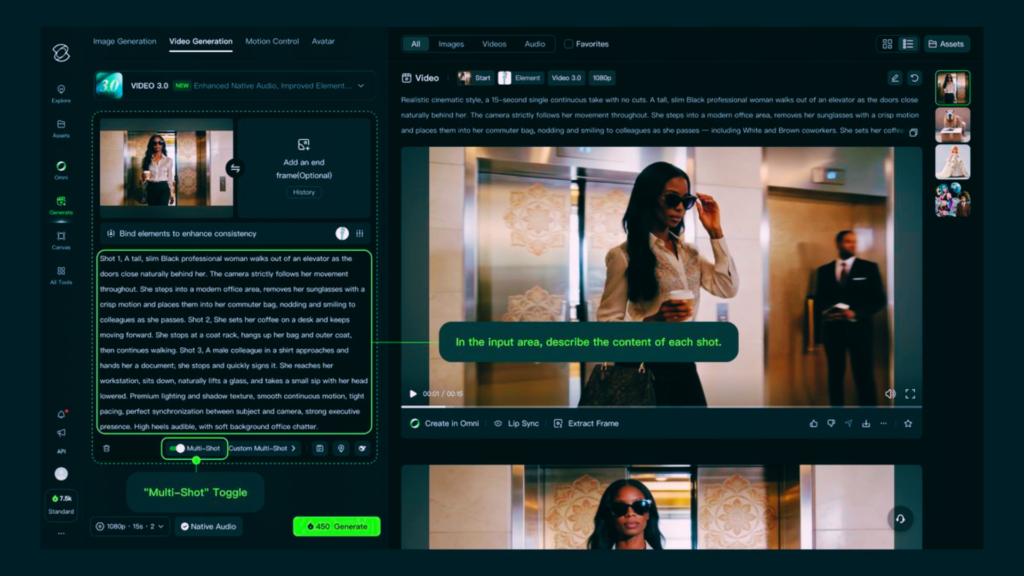
This is Kling AI’s most popular feature. You simply write a line or paragraph, and the AI creates a video based on that description.
Go to the “AI Video” section and select the “Text to Video” tab.
You’ll now see a text box where you’ll enter your prompt. Prompt is the description you want to appear in the video.
A good prompt example would be something like this: “A young Indian woman walking on a busy Mumbai street, golden hour lighting, slow motion, cinematic style.” The more detailed you write, the better the video will be.
After writing the prompt, you need to choose some settings:
Modes include “Standard” and “Pro.” Standard mode uses fewer credits and creates videos faster. Pro mode offers higher quality but requires more credits.
In duration you can choose 5 second or 10 second video.
In Aspect Ratio, you can choose 16:9 (for YouTube), 9:16 (for Reels/Shorts) or 1:1 (for Instagram posts).
There’s also a Negative Prompt option where you can write what you don’t want in the video – like “no blurriness, no text overlay.”
After setting everything, click on the “Generate” button.
It can take 2 to 5 minutes to create a video. You can do something else or try a new prompt while you’re at it. A notification will appear when the video is ready.
Step 4 — How to make a video from an image (Image to Video)
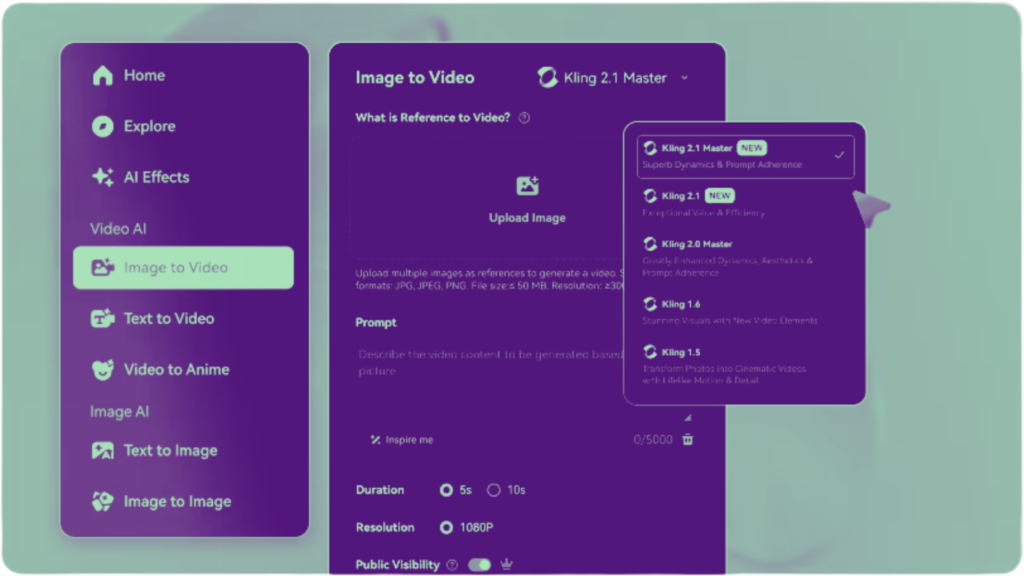
This feature is very useful if you have a photo and you want it to look alive i.e. move.
Go to the “AI Video” section and select the “Image to Video” tab.
Upload your image. This can be a photo of yourself, a landscape image, or even an AI-generated image.
After uploading the image, a text box will appear where you can type what movement you want in the image. For example, if you uploaded a photo of an ocean, you could write “waves moving gently, birds flying in the background.”
If you don’t want to describe any movement, you can leave the text box blank – the AI will figure it out and add the natural movement.
Rest of the settings are the same – choose the mode, duration and aspect ratio and click “Generate”.
This feature is very popular among Instagram and YouTube creators because it gives life to AI-generated images and makes reels look very attractive.
Step 5 — How to Download the Video
After the video is generated, it gets saved in your “My Works” section.
Click on the video – it will open in preview.
There will be a download icon at the top or bottom—click it to download the video. The video downloads in MP4 format, which is useful everywhere.
There is a watermark on the downloaded video in the free plan – to remove it you have to take a paid plan.
Step 6 — How to Write Prompts for Good Videos
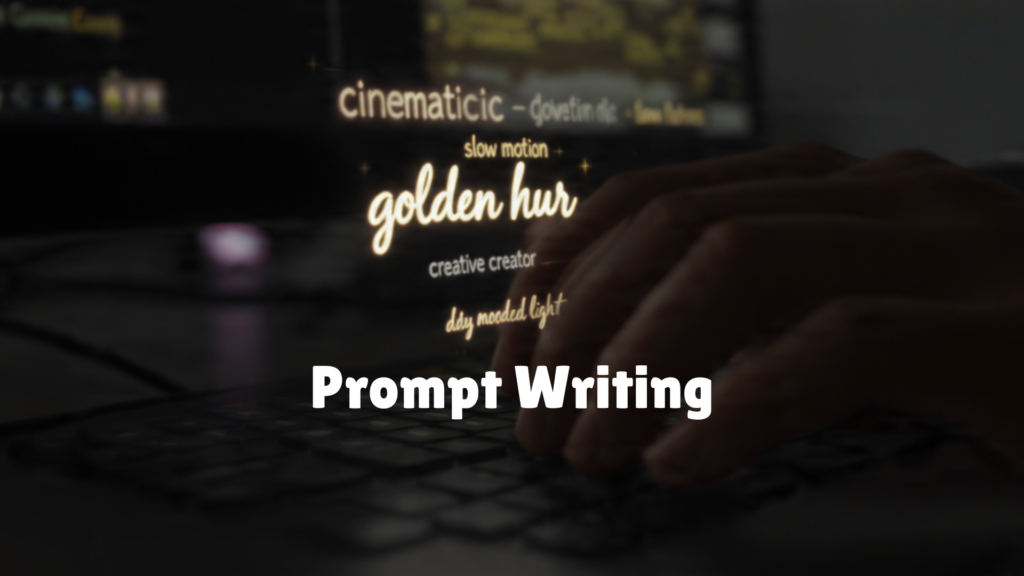
Writing a good prompt is the most important part of creating good videos with Kling AI. Many people write the wrong prompt and then are unhappy with the result. Below are some tips that will be useful for creators in India:
Always write the prompt in English because Kling AI understands English prompts best. Writing in Hindi or Hinglish may not produce as good results.
Explain the subject clearly – who is in the video, what is he doing, where is he. For example, “A farmer in a green field in rural India, wearing a white kurta, walking slowly at sunrise.”
Specify camera movement if desired—such as “camera slowly zooming in,” “drone shot moving forward,” “close-up shot.”
Explain lighting — “golden hour light,” “soft morning light,” “dramatic studio lighting” — these all make a huge difference in the final result.
Tell me the style — “cinematic,” “realistic,” “anime style,” “documentary style” — whatever you want.
Tell the mood — “peaceful,” “energetic,” “dramatic,” “emotional” — this also guides the AI.
Ek achhe prompt ka poora example kuch aisa hoga: “An elderly Indian man sitting on a wooden chair outside his village home, evening sunlight falling on his face, gentle breeze moving his white hair, slow motion, cinematic, peaceful mood, realistic style.”
Kling AI’s Plans and Pricing for India
Kling AI has a free plan that offers limited credits daily. You can create a few videos with these credits, but for more production, you need a paid plan.
In the free plan, you get some credits every day and can create standard quality videos but watermark comes on the downloaded videos.
Paid plans offer more credits, no watermarks, and a Pro mode is available, offering higher quality. Pricing is in dollars, which can be paid using UPI or international cards in India. Basic plans start at around ₹700.
If you just want to try it, start with the free plan and when you want to use it regularly, then take the paid plan.
What to keep in mind while using Kling AI
A few things you should keep in mind when using Kling AI: The generated video won’t always be perfect. Sometimes the AI tools can cause the hands or fingers to be misaligned, the face to appear a little odd, or the movements to appear unnatural. In such cases, the prompt will prompt you to change the settings slightly and try again.
Generate the same prompt multiple times, as each time produces a different result. Sometimes, the third or fourth time produces a very good video.
Watch your credits. Credits are limited in the free plan. Before generating a video, think about the result you want so you don’t waste credits.
It’s not ethical to present AI-generated videos as your own original content without disclosing them. If you’re sharing them publicly, you should disclose that the video was created with AI.
For commercial use, please read Kling AI’s terms of service first as there may be some limitations on commercial use in the free plan.
What is Kling AI best for?
Kling AI can be used in many ways in India. Creating short AI videos for Instagram Reels and YouTube Shorts has become very popular. Create a stunning 5-10 second video with a good prompt and fill your content calendar.
Kling AI is also used in digital marketing to create attractive video ads for products. An attractive video ad for a product can be created without an expensive shoot.
Students and teachers have started using AI videos for school projects and presentations which makes them stand out from the rest.
Storytellers and writers also use Kling AI to visualize scenes from their stories.
Conclusion
Kling AI is a very powerful tool that has brought a huge opportunity for creators in India. What previously required equipment and a team worth lakhs of rupees can now be done with a simple text prompt. Creating an account is free, easy to do, and the results are quite impressive. It may take some practice initially to write good prompts, but once you get the hang of it, you can create new videos every day and strengthen your content game. Visit klingai.com today, create a free account, and make your first AI video.